Compare the three worktop quotes
| Worktop | Price | Ready in |
|---|---|---|
| Oak | €1,240 | 3 weeks |
| Quartz | €1,580 | 2 weeks |
| Laminate | €640 | 1 week |
Laminate is the cheapest and the first to arrive.
Crescendo is a to-do list for your Mac. Give a to-do to Claude, the AI assistant, and it does the work. You read what comes back, and one click ticks the to-do off.
Free during the beta Mac with Apple silicon Claude Pro or Max

Claude does the work. Crescendo keeps your list , your plan and the final yes.
Claude works through Claude Code, Anthropic’s tool for your Mac, on your own Claude plan. Crescendo has no AI of its own.
Pick a to-do and press Delegate. Claude starts on it and tells you what it is doing in plain words. Watch, or carry on with your day.
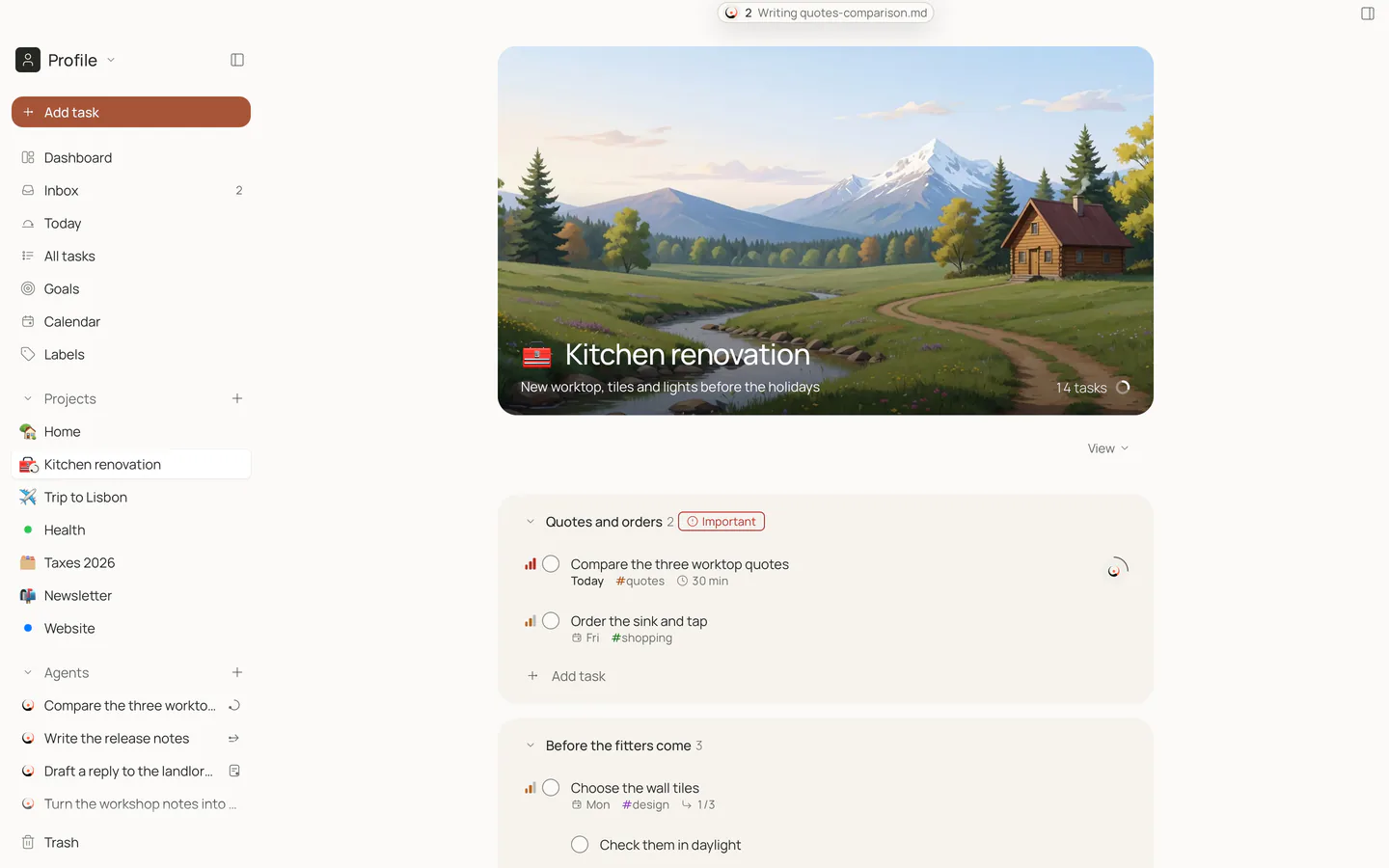
Claude works with what you keep in the project, like letters, quotes and scans.
The result comes back to the same to-do: a reply written, quotes compared, a plan made. Press Approve and the to-do ticks itself off. Not quite right? Send it back with a note in your own words.
Claude drafts the reply. You decide whether to send it.
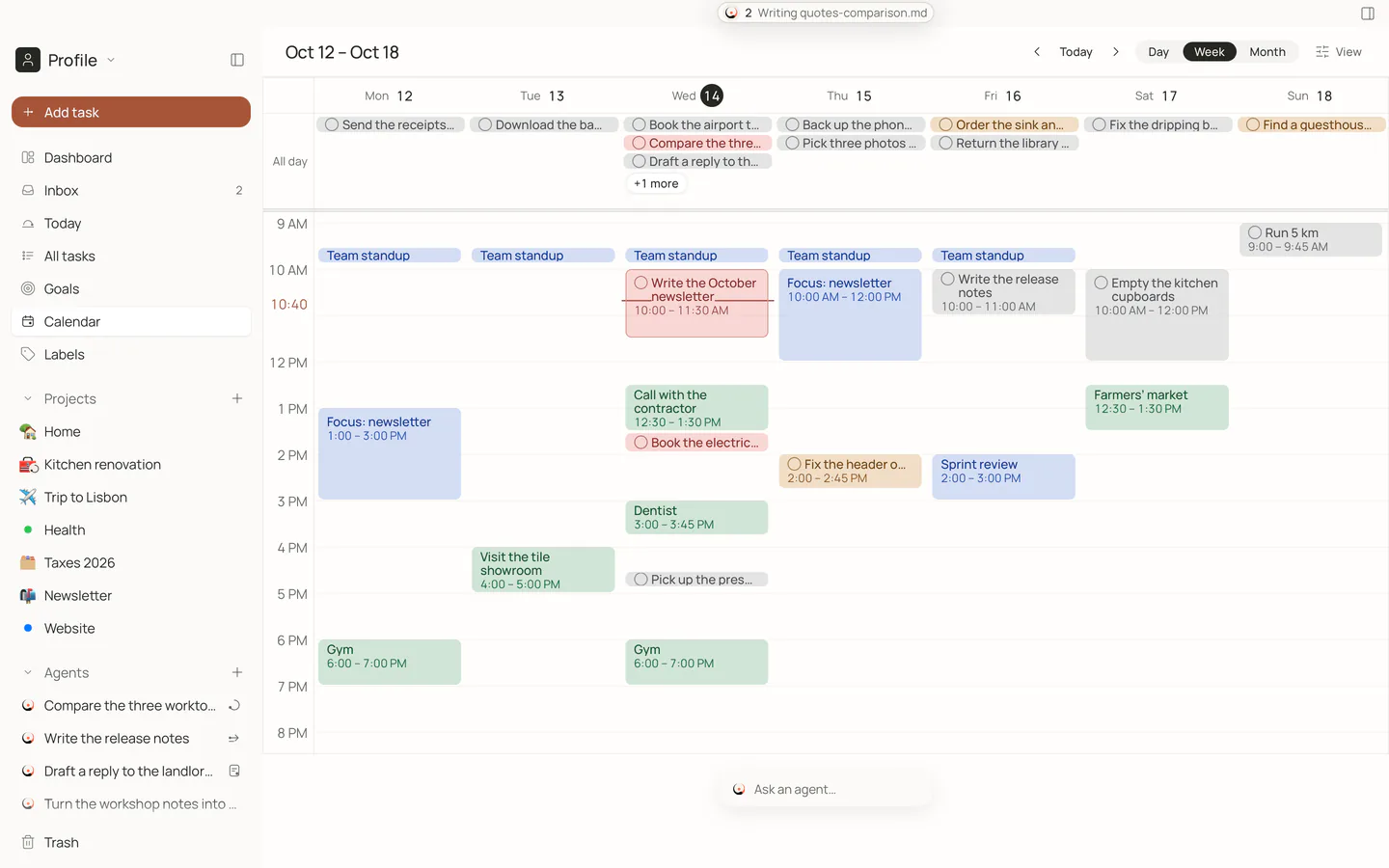
Claude can plan your day too. It places your to-dos between your meetings and keeps some time free. Nothing moves until you press Add to calendar.
Uses the calendars on your Mac. Claude sees your day only after you allow it in Crescendo’s settings.
A few to-dos worth handing off, and what Claude hands back.
Compare the three worktop quotes
| Worktop | Price | Ready in |
|---|---|---|
| Oak | €1,240 | 3 weeks |
| Quartz | €1,580 | 2 weeks |
| Laminate | €640 | 1 week |
Laminate is the cheapest and the first to arrive.
Plan the Lisbon trip day by day
Add up this month’s receipts
€1,184.60
from 23 receipts
2 have no date
Claude works with what you keep in the project: quotes, booking confirmations, scanned receipts, notes.
Write down what you want and why. Split it into milestones with dates, put to-dos under each, and see how far you have come.
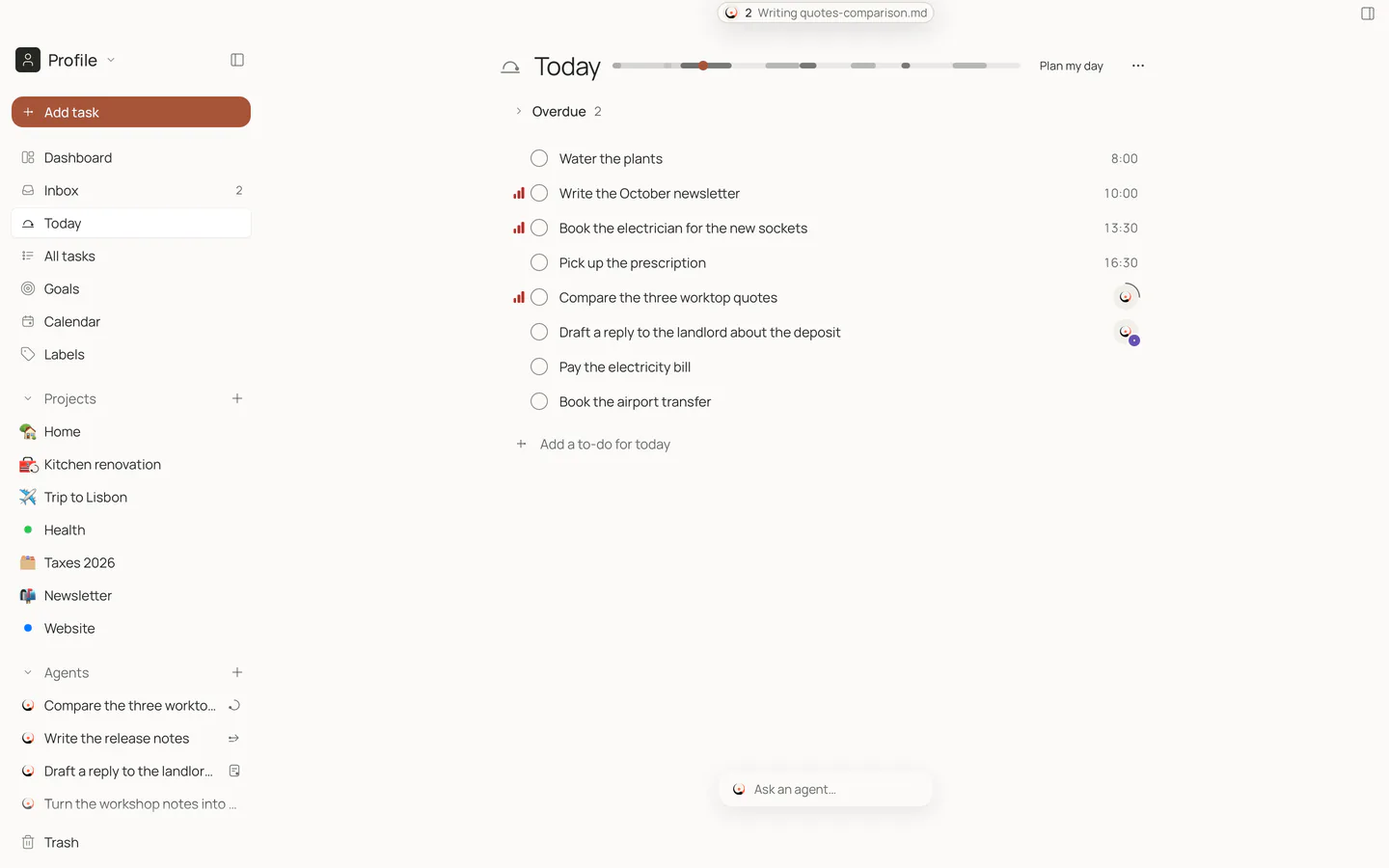
Your projects, today’s list and your calendar, side by side. Type a to-do the way you would say it, like “Call the plumber tomorrow at 9”, and the date fills itself in.

Your to-dos live in one file on your Mac, backed up every day. No account, no cloud, no tracking. When Claude works on a to-do, what it reads goes to Anthropic, as it does whenever you use Claude.
Short answers to the questions people ask first.
A Mac with Apple silicon (M1 or later) on macOS 15 or later. To hand off to-dos you also need Claude Code, Anthropic’s tool that lets Claude work on your Mac, signed in with a paid Claude plan such as Pro or Max. Your lists, goals and calendar work without it. The app speaks English and Polish.
Crescendo is free during the beta. After it, your lists and handing to-dos to Claude with your review stay free for good, and some other features move to a paid plan. Claude’s work counts toward your own Claude plan with Anthropic.
Claude. Crescendo keeps your list, passes the to-do to Claude Code on your Mac, shows you the result and ticks the to-do off when you approve. Claude works with the files in the project’s folder on your Mac, such as quotes, letters, scans and photos, and saves its results there.
Your to-dos stay in one file on your Mac, with a daily backup and a Trash that keeps deleted items for 30 days. There is no Crescendo account, no server and no tracking. When Claude works on a to-do, what it reads goes to Anthropic under your Claude account. You can export everything to one file at any time.
The to-do stays open until you approve it. Send it back with a note and Claude tries again, or dismiss the result and do it yourself. You can stop Claude at any moment.
Crescendo is in a closed beta with a small group of invited testers. The public beta comes next, with the download on this page.
Everything is free during the beta. There is no waiting list yet: it opens together with a privacy policy.